Troubleshooting Scrap Metal Shear Control Panel Errors: A Comprehensive Guide for HARSLE Operators

Introduction to Scrap Metal Shear Control Systems
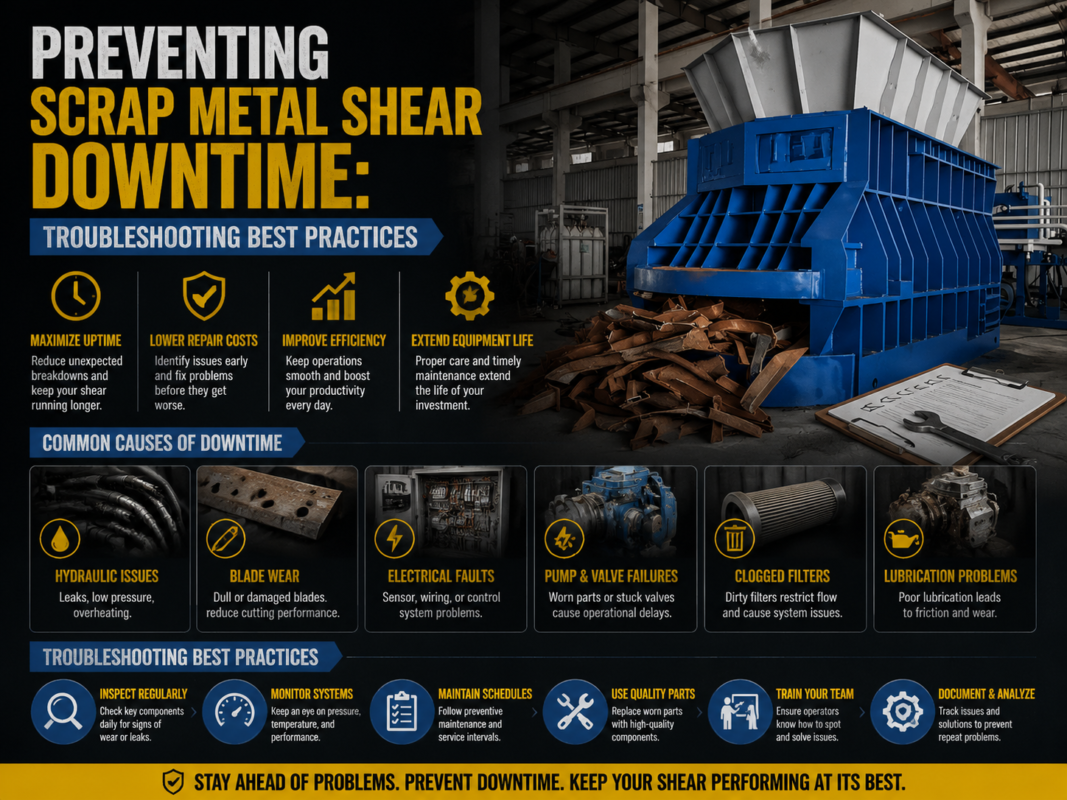
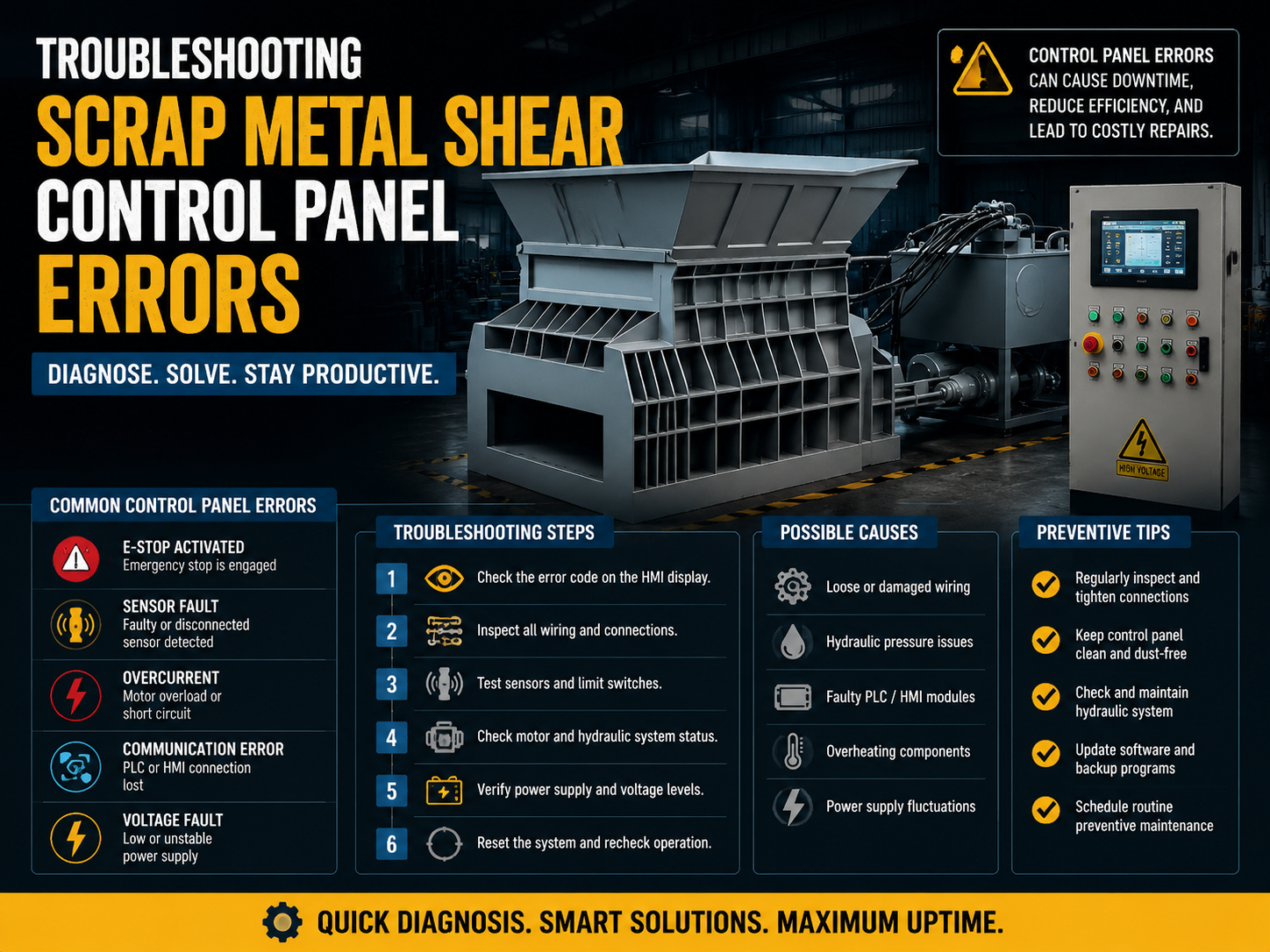
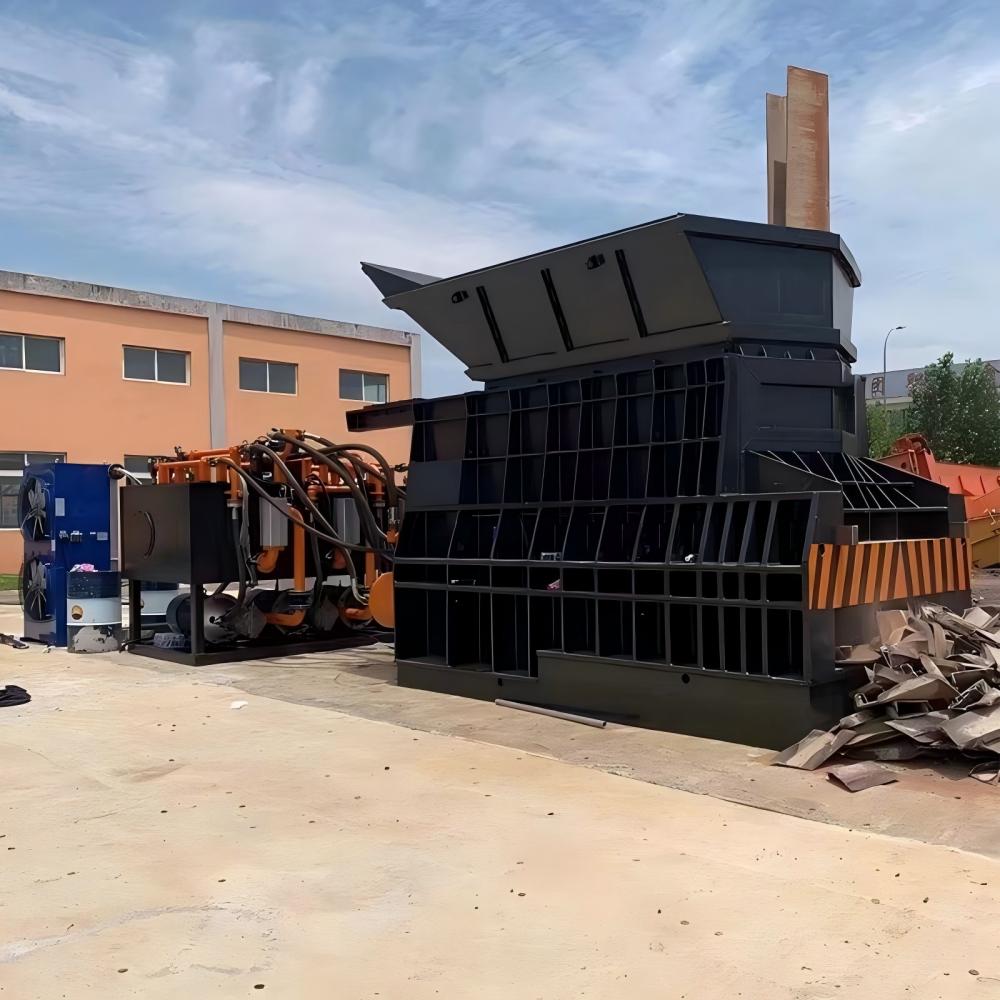
In the high-stakes environment of metal recycling and industrial fabrication, the scrap metal shear stands as a cornerstone of productivity. These massive machines are designed to exert hundreds of tons of force to slice through structural steel, decommissioned vehicles, and bulky industrial waste. However, the raw power of the hydraulic cylinders is nothing without the sophisticated ‘brain’ that directs it: the electrical control panel. Troubleshooting Scrap Metal Shear Control Panel Errors is a critical skill for maintenance teams and operators alike, as even a minor electrical glitch can bring a multi-million dollar recycling operation to a grinding halt.
Modern scrap metal shears, such as those manufactured by HARSLE, utilize advanced Programmable Logic Controllers (PLCs) and Human-Machine Interfaces (HMIs) to manage complex sequences of clamping, shearing, and feeding. While these digital systems offer unprecedented precision and safety, they also introduce a layer of complexity when errors occur. An error message on the screen isn’t just a nuisance; it is a diagnostic roadmap that, if interpreted correctly, can save hours of downtime and thousands of dollars in unnecessary part replacements.
Understanding the architecture of these control panels is the first step toward effective troubleshooting. The panel typically houses the PLC, motor starters, variable frequency drives (VFDs), safety relays, and a network of wiring that connects to sensors and actuators across the machine. Because scrap yards are notoriously harsh environments—characterized by extreme temperatures, heavy vibrations, and conductive metal dust—the control panel is often the first place where environmental stress manifests as operational failure. This guide aims to provide a deep dive into identifying, diagnosing, and resolving the most common control panel errors found in industrial scrap metal shears.
Key Considerations Before Troubleshooting
Before diving into the circuitry, safety must be the absolute priority. Scrap metal shears are dangerous machines with multiple pinch points and high-pressure hydraulic systems. When Troubleshooting Scrap Metal Shear Control Panel Errors, always adhere to strict Lockout/Tagout (LOTO) procedures. Never attempt to work inside a live electrical cabinet unless you are a qualified technician using the appropriate Personal Protective Equipment (PPE), including arc-flash rated gear if necessary. Ensure that all residual hydraulic pressure is bled from the system before inspecting sensors or solenoid valves connected to the control logic.
Another key consideration is the environment. Metal recycling facilities are often outdoors or in semi-enclosed structures. This exposes the control panel to moisture, humidity, and temperature fluctuations. Condensation inside an electrical cabinet can lead to short circuits or intermittent signal failures that are notoriously difficult to track down. Furthermore, the fine metallic dust generated during the shearing process is conductive. If the cabinet seals are compromised, this dust can settle on circuit boards, causing ‘phantom’ errors or catastrophic component failure. Regular cleaning and seal inspection are non-negotiable aspects of machine longevity.
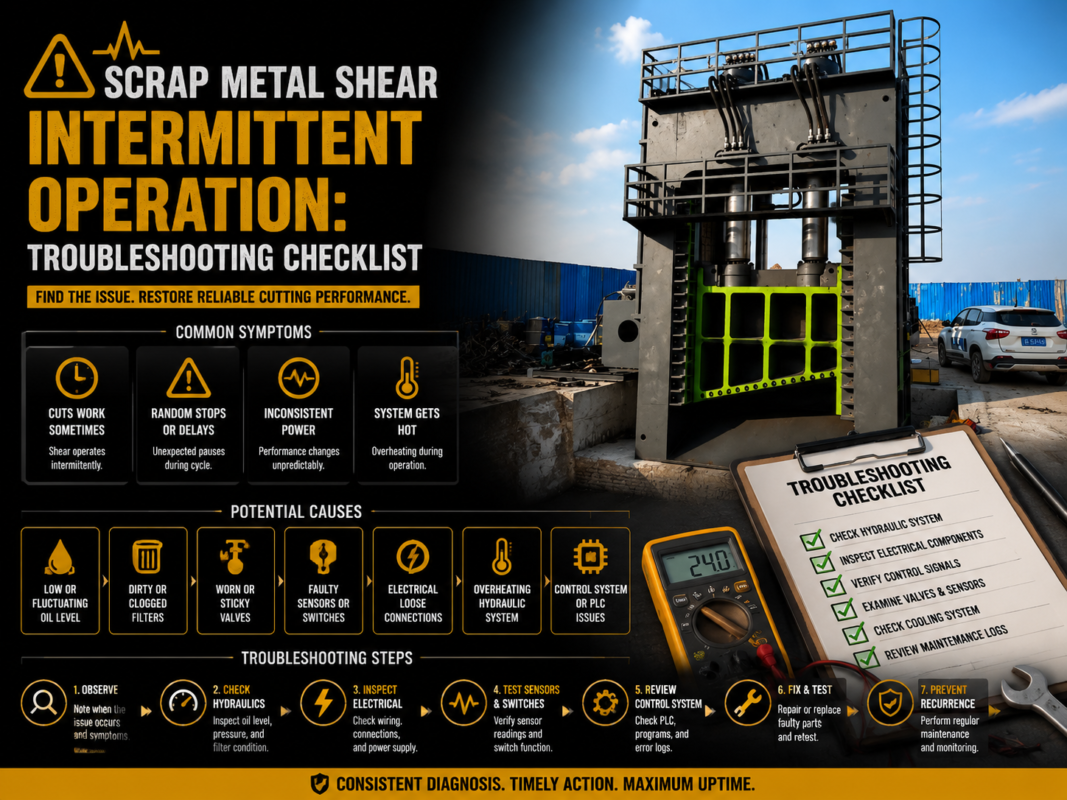
Documentation is your best friend during a breakdown. Always keep the electrical schematics, PLC I/O maps, and the manufacturer’s manual (such as the HARSLE technical guide) near the machine. Most modern shears will display a specific error code on the HMI. Before clearing the code, record it. Intermittent errors that are cleared without investigation often return with greater frequency and severity. Understanding the sequence of operations—what the machine was doing exactly when the error occurred—is vital for pinpointing whether the fault is electrical, mechanical, or hydraulic in nature.
Technical Details: Common Error Categories and Solutions
1. Emergency Stop (E-Stop) and Safety Circuit Faults
One of the most frequent issues encountered is the ‘E-Stop Active’ error, even when no buttons appear to be pressed. The safety circuit in a scrap metal shear is typically a series loop. If any button, pull-cord, or safety light curtain in that loop is triggered or has a loose connection, the PLC will prevent the machine from starting. Troubleshooting this involves checking the continuity of the entire loop. Vibration from the shearing action can often loosen terminal screws over time, leading to intermittent breaks in the safety circuit.
2. PLC Input/Output (I/O) Failures
The PLC communicates with the machine through inputs (from sensors and switches) and outputs (to solenoid valves and motor contactors). If the HMI reports a ‘Sensor Timeout’ or ‘Limit Switch Error,’ the first step is to check the LED indicators on the PLC itself. If the input light for a specific sensor isn’t illuminating when the sensor is triggered, the problem lies in the sensor, the wiring, or the 24V DC power supply. In the harsh environment of a scrap yard, proximity sensors are frequently hit by flying debris or coated in grease, preventing them from sending a signal to the control panel.
3. Motor Overload and VFD Faults
The main hydraulic pumps are driven by powerful electric motors. If the control panel displays a ‘Motor Overload’ error, it indicates that the thermal overload relay has tripped to protect the motor from burning out. This could be caused by a mechanical jam in the shear, a phase loss in the incoming power supply, or a failing pump. If the machine uses a Variable Frequency Drive (VFD), the drive’s display will provide specific codes such as ‘Overvoltage,’ ‘Undervoltage,’ or ‘Overcurrent.’ These codes are essential for determining if the issue is with the utility power or the motor’s internal windings.
4. Communication Errors (HMI to PLC)
Sometimes the control panel may display a ‘Communication Lost’ or ‘No Link’ message. This usually points to a failure in the Ethernet or Serial cable connecting the HMI screen to the PLC. In industrial environments, electromagnetic interference (EMI) from large motors can disrupt these signals if the cables are not properly shielded or grounded. Checking the integrity of the communication cable and ensuring it is routed away from high-voltage power lines is a standard fix for this issue.
5. Hydraulic Interlock Errors
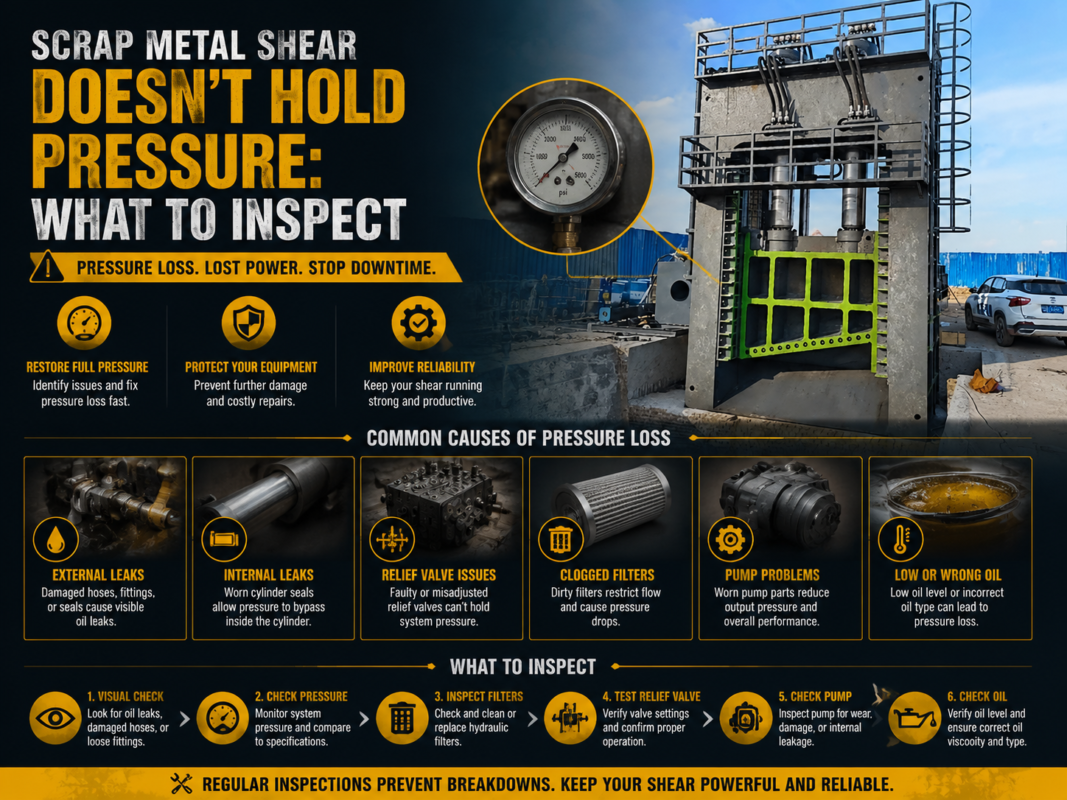
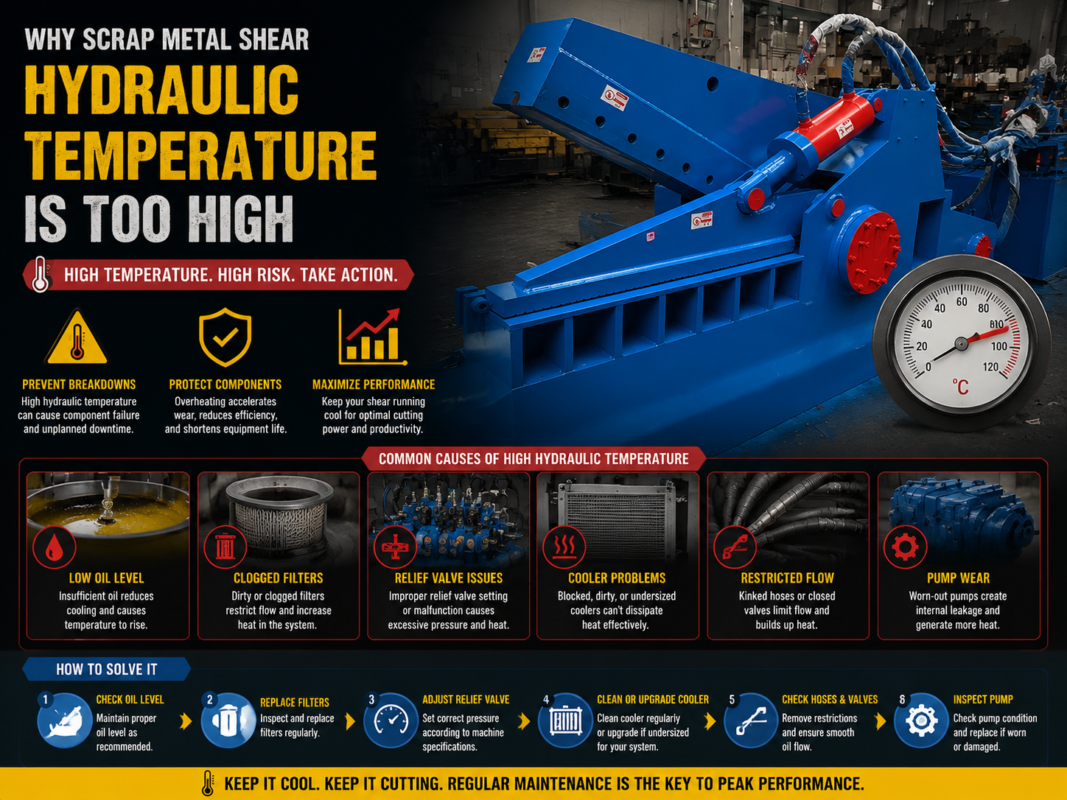
The control panel monitors hydraulic parameters like oil temperature and oil level. If the oil temperature exceeds a certain threshold (usually 60-70°C), the PLC will trigger a ‘High Temp’ error and shut down the system to prevent seal damage. Troubleshooting this involves checking the cooling fan contactors in the control panel. If the fan isn’t receiving power when the PLC demands it, the issue might be a failed relay or a blown fuse within the panel itself.
Selection Advice: Choosing a Shear with a Reliable Control System
When purchasing a new scrap metal shear, the quality of the control panel should be a primary deciding factor. Not all control systems are created equal. At HARSLE, we prioritize the use of globally recognized components from brands like Siemens, Schneider, or Omron. The reason for this is simple: availability. If a relay or a PLC module fails five years down the line, you want to be able to source a replacement locally rather than waiting weeks for a proprietary part to ship from overseas.
Look for a control panel that features a well-organized layout with clearly labeled wires and components. A ‘rat’s nest’ of wires is a nightmare to troubleshoot and increases the risk of short circuits. High-quality machines will also include integrated cooling—either through filtered fans or dedicated air conditioning units—to keep the electronics at an optimal temperature. This is especially important for shears operating in tropical or desert climates where ambient heat can cause PLC processors to throttle or fail.
Furthermore, consider the ‘intelligence’ of the HMI. Modern HARSLE shears feature diagnostic screens that don’t just show an error code, but actually display a graphical representation of the machine, highlighting exactly which sensor or valve is causing the fault. This ‘visual troubleshooting’ capability can reduce the time spent with a multimeter and get the machine back into production much faster. Remote diagnostic capability is another feature to look for; it allows the manufacturer’s engineers to log into your machine via the internet to help diagnose complex software or logic issues.
Frequently Asked Questions (FAQ)
Q1: Why does my shear stop mid-cycle without an error code?
A: This is often caused by a momentary loss of power or a ‘brownout’ that resets the PLC but isn’t long enough to trigger a persistent fault code. Check the main power connections and the stability of your facility’s voltage. It could also be a loose wire in the ‘Run’ signal circuit that vibrates open during the shearing stroke.
Q2: How often should I clean the inside of the control panel?
A: In a typical scrap yard environment, the exterior of the cabinet should be wiped down weekly, and the interior should be inspected monthly. Use compressed air (low pressure and dry) or a vacuum to remove dust. Ensure the machine is powered down and locked out before doing this.
Q3: Can I bypass a faulty sensor to keep production moving?
A: Absolutely not. Bypassing safety sensors or limit switches on a scrap metal shear is extremely dangerous and can lead to catastrophic machine failure or fatal injury. Always replace the faulty component with an OEM-specified part.
Q4: What does a ‘PLC Battery Low’ warning mean?
A: Many PLCs use a small battery to retain the machine’s programming and memory during power-offs. If this battery dies, you may lose the machine’s parameters, requiring a factory reload. Replace the battery immediately while the power is ON (following the manual’s instructions) to avoid losing data.
Q5: Why is my HMI screen unresponsive or frozen?
A: This can be caused by excessive heat or a software glitch. Try cycling the control power. If the problem persists, check the 24V DC power supply voltage; if the voltage is too low (e.g., 20V instead of 24V), the HMI may power up but fail to process touch inputs correctly.
Conclusion: Proactive Maintenance for Maximum Uptime
Troubleshooting Scrap Metal Shear Control Panel Errors is as much about prevention as it is about repair. A well-maintained control system is the heart of a reliable recycling operation. By implementing a routine inspection schedule—checking for loose terminals, ensuring cooling fans are functional, and keeping the cabinet sealed against dust—you can prevent the majority of common electrical faults before they occur.
When errors do arise, a systematic approach is key. Start with the simplest possibilities: Is the E-stop pressed? Is a sensor blocked by scrap? Is a fuse blown? Only after ruling out these basics should you move on to more complex PLC logic or VFD parameters. Utilizing the advanced diagnostic tools provided by HARSLE machinery can significantly streamline this process, turning a potential day of downtime into a quick thirty-minute fix.
Ultimately, the goal is to maintain a deep understanding of your machine’s ‘nervous system.’ Investing in operator training and keeping detailed maintenance logs will pay dividends in the long run. A scrap metal shear is a significant investment, and the control panel is the key to unlocking its full potential and ensuring it operates safely and efficiently for decades to come. Whether you are dealing with a simple limit switch adjustment or a complex communication fault, remember that patience, safety, and the right technical resources are your most valuable tools.