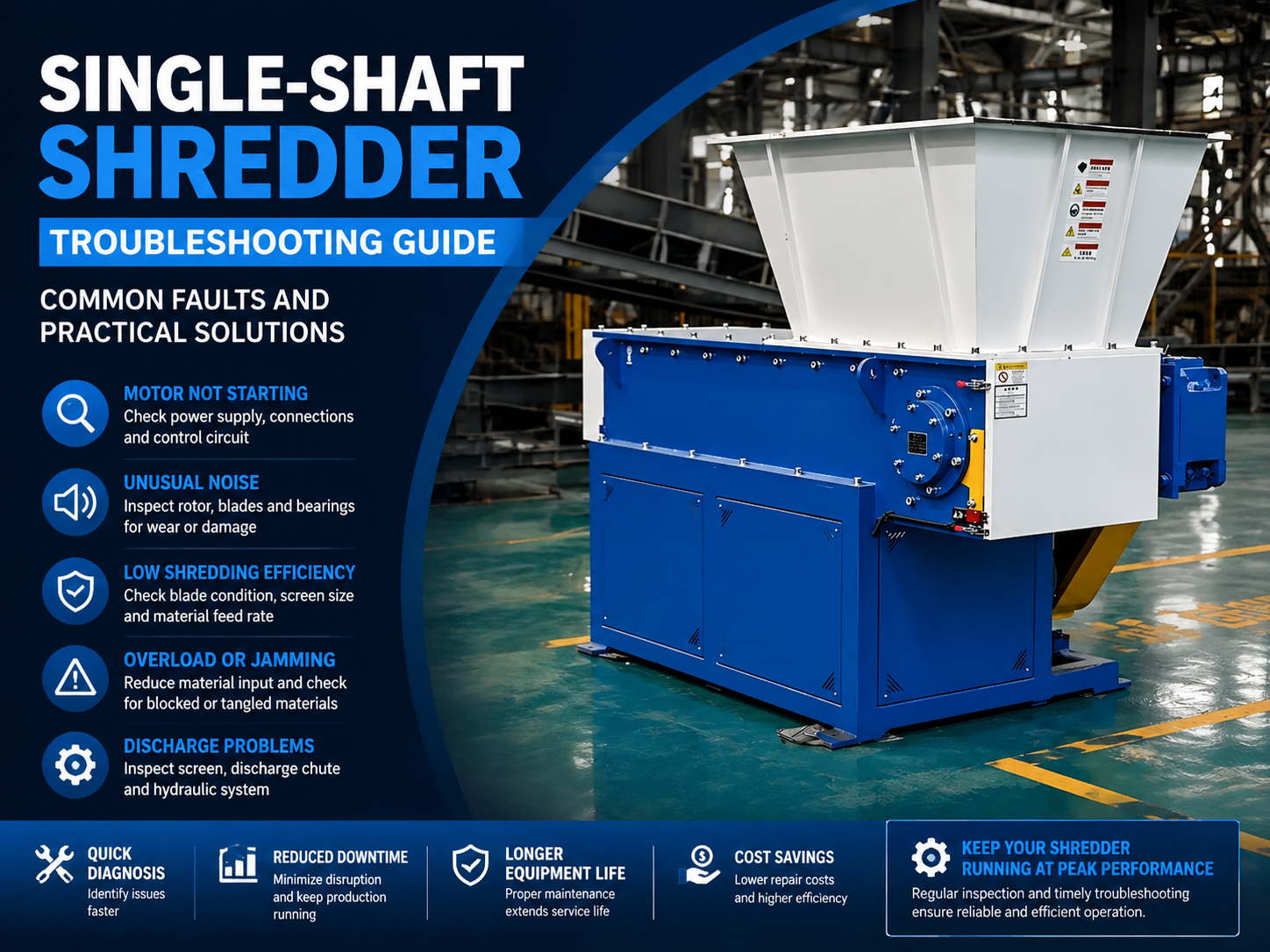
Single-Shaft Shredder Troubleshooting Guide: Common Faults and Practical Solutions

Technical Overview of Single-Shaft Shredders
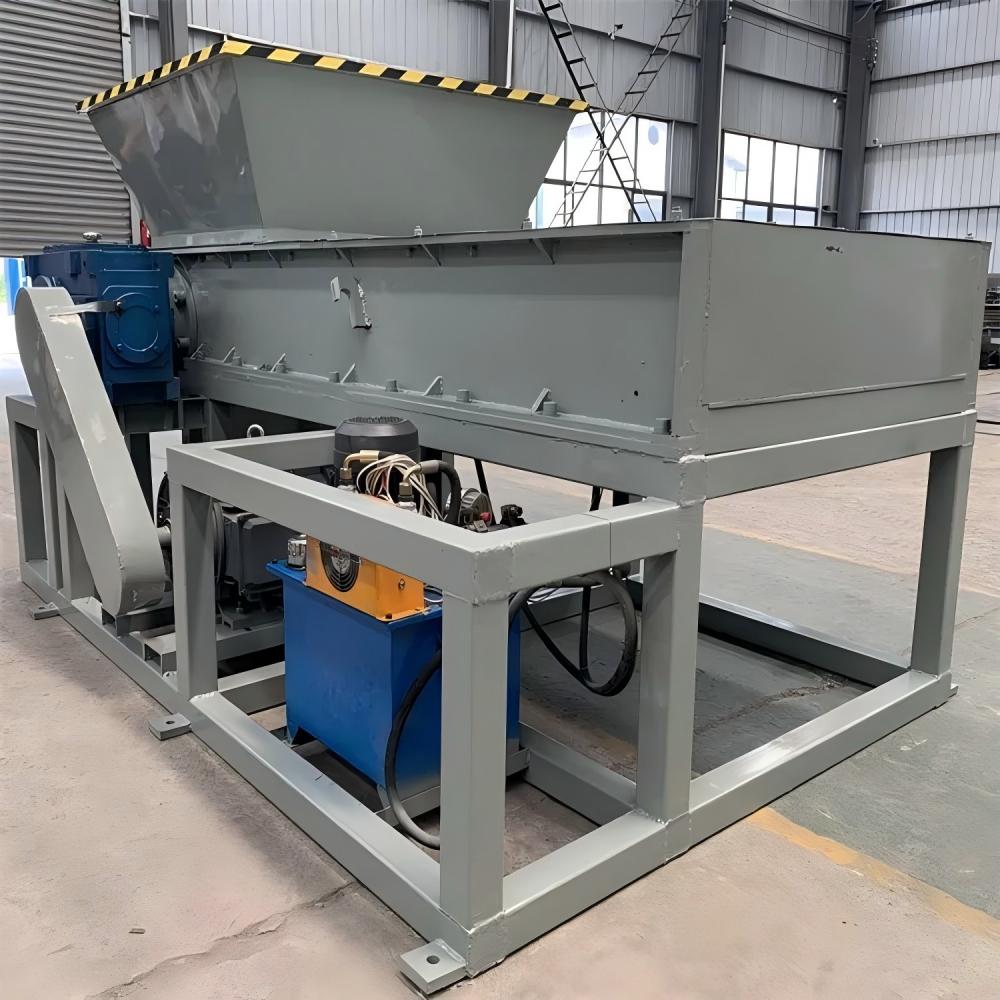
The single-shaft shredder is a cornerstone of modern industrial recycling and waste management. Unlike its double-shaft counterparts, which rely on high torque and low speed to tear materials, the single-shaft shredder utilizes a high-speed rotating rotor equipped with multiple cutting blades that interact with a fixed counter-knife. This design allows for precise control over the final particle size, making it ideal for processing plastics, wood, rubber, and light metal scraps. At the heart of the machine is a hydraulic pusher or ram that feeds material toward the rotor, ensuring consistent contact and maximizing throughput.
Understanding the technical architecture is the first step in effective Single-Shaft Shredder Troubleshooting : Common Faults Practical Solutions. The assembly typically consists of a heavy-duty gearbox, a high-torque motor, a rotor with heat-treated blade seats, and a screen that determines the output size. Because these machines operate in harsh environments, they are subject to significant mechanical stress, thermal expansion, and abrasive wear. A failure in any one of these components—be it a hydraulic leak in the ram or a dulling of the rotor knives—can lead to a complete halt in production.
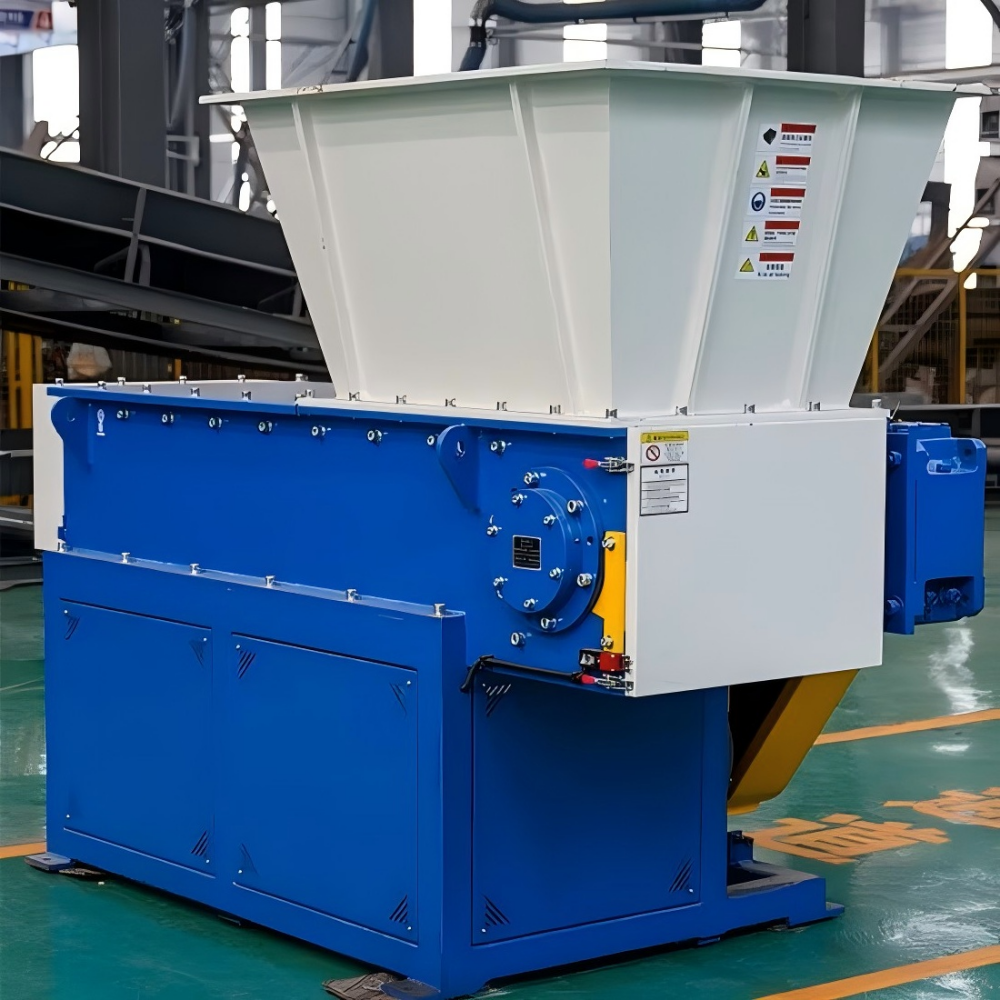
Modern single-shaft shredders, such as those manufactured by HARSLE, incorporate advanced PLC control systems. These systems monitor the motor’s current and can automatically reverse the rotor if a jam is detected. This “auto-reverse” feature is critical for protecting the drive train from catastrophic failure. However, even with these safeguards, operators must be vigilant. Troubleshooting requires a systematic approach: identifying the symptom, isolating the subsystem (electrical, hydraulic, or mechanical), and applying a calibrated fix that addresses the root cause rather than just the symptom.
Core Parameters of Single-Shaft Shredders
To diagnose a shredder effectively, one must understand its core operating parameters. These specifications define the machine’s limits and provide a baseline for performance. When a machine deviates from these parameters, it is a clear indicator of an underlying fault. The primary parameters include rotor speed (RPM), motor power (kW), blade quantity, and screen mesh size. For instance, if a machine rated for 45kW is consistently drawing 60kW, it indicates either an overload of material or excessive friction within the bearing housings.
Another critical parameter is the hydraulic pressure of the pusher system. The pusher ensures that the material is constantly pressed against the rotating blades. If the pressure is too low, the shredder will idle without processing material; if it is too high, it can stall the motor or cause premature wear on the blades. Furthermore, the clearance between the rotor blades and the counter-knife (stator blade) is a vital metric. Typically, this gap should be maintained between 0.5mm and 1.5mm depending on the material. A wider gap leads to inefficient cutting and increased energy consumption, while a gap that is too narrow risks metal-on-metal contact during thermal expansion.
Calculation Method for Shredder Performance
In the realm of Single-Shaft Shredder Troubleshooting : Common Faults Practical Solutions, mathematical verification can often pinpoint why a machine is failing. One of the most important calculations is the Torque (T) required for shredding specific materials. The formula is expressed as:
T = (9550 × P) / n
Where:
T = Torque in Newton-meters (Nm)
P = Motor Power in Kilowatts (kW)
n = Rotor Speed in Revolutions per Minute (RPM)
If you are attempting to shred a high-density material and the calculated torque is lower than the material’s shear strength, the machine will frequently jam. Additionally, calculating the theoretical throughput (Q) helps in identifying efficiency drops. This is generally calculated by:
Q = V × ρ × η
Where V is the volume of the cutting chamber, ρ is the bulk density of the material, and η is the efficiency coefficient (usually between 0.6 and 0.8). If the actual output is significantly lower than Q, you should inspect the screen for clogging or the blades for excessive wear.
Single-Shaft Shredder Parameter Table
The following table outlines the standard specifications for various industrial single-shaft shredder models. Use this as a reference point for troubleshooting performance issues.
| Model Series | Motor Power (kW) | Rotor Diameter (mm) | Rotor Speed (RPM) | Blade Quantity (pcs) | Throughput (kg/h) |
|---|---|---|---|---|---|
| HSS-600 | 18.5 – 22 | 300 | 80 – 100 | 24 | 400 – 600 |
| HSS-800 | 30 – 37 | 400 | 70 – 90 | 36 | 800 – 1200 |
| HSS-1000 | 45 – 55 | 450 | 70 – 90 | 48 | 1500 – 2000 |
| HSS-1200 | 75 – 90 | 500 | 60 – 80 | 60 | 2500 – 3500 |
| HSS-1500 | 110 – 132 | 600 | 60 – 75 | 80 | 4000 – 6000 |
Common Engineering Mistakes in Shredder Operation
One of the most frequent mistakes in shredder operation is the improper adjustment of the counter-knife. Many engineers and operators wait until the machine stops cutting effectively before checking the blade gap. By this time, the rounded edges of the blades have already increased the load on the motor and gearbox, leading to unnecessary wear. Regular rotation of the four-sided blades is essential; neglecting this simple maintenance task can reduce the lifespan of the rotor by up to 40%.
Another common error involves the hydraulic system. Operators often increase the pusher pressure to “force” more material through the machine. However, this often results in the material being compacted into a solid mass that the rotor cannot penetrate, leading to frequent auto-reverses and high heat generation. The hydraulic oil temperature should also be monitored; operating with overheated oil leads to seal failure and loss of pressure, which is a primary cause of pusher malfunction. Lastly, using the wrong screen size for a specific material can lead to “bridging,” where material circulates indefinitely in the chamber without falling through the screen, causing the machine to overheat.
Comprehensive Troubleshooting Guide: Common Faults & Solutions
1. Rotor Fails to Start or Stalls Frequently
If the rotor fails to start, first check the electrical supply and the emergency stop circuit. In many cases, the PLC may have tripped a safety interlock due to an open chamber door or a triggered limit switch. If the motor hums but doesn’t turn, there may be a mechanical blockage. Solution: Clear the shredding chamber of all material. Check the gearbox for internal damage and ensure the drive belts are not slipping or broken. If the motor stalls during operation, reduce the feed rate or check if the material hardness exceeds the machine’s specifications.
2. Excessive Vibration and Noise
While shredders are naturally loud, excessive vibration is a sign of imbalance. This is often caused by uneven blade wear or a missing blade. It can also indicate that the foundation bolts have loosened or that the rotor bearings are failing. Solution: Inspect the rotor for missing or broken blades and replace them in pairs to maintain balance. Tighten all mounting bolts and lubricate the main bearings. If the noise is a high-pitched grinding, the bearings likely need immediate replacement before they damage the shaft.
3. Low Throughput and Poor Cutting Quality
When the output drops despite the motor running at full speed, the culprit is usually the cutting interface. Dull blades or an excessive gap between the rotor and counter-knife will cause the material to be “rubbed” rather than cut. Solution: Rotate the blades to a fresh edge or sharpen them if they are at the end of their life. Adjust the counter-knife to the manufacturer-recommended clearance. Also, check the screen for clogs; sticky materials like certain plastics can melt and plug the screen holes, preventing processed material from exiting.
4. Hydraulic Pusher Malfunctions
If the pusher moves slowly or not at all, the issue is likely in the hydraulic circuit. This could be due to low oil levels, a clogged filter, or a failing solenoid valve. Solution: Check the hydraulic oil level and top up if necessary. Replace the oil filter if it hasn’t been changed in the last 1000 operating hours. Test the solenoid valves to ensure they are receiving the correct signal from the PLC. If the pusher moves but lacks power, the hydraulic pump may be worn and unable to maintain pressure.
Selection Checklist for Single-Shaft Shredders
Choosing the right shredder and maintaining it requires a structured approach. Use this checklist to ensure optimal performance and longevity:
- Material Compatibility: Does the rotor speed and blade type match the material density?
- Motor Power: Is the motor rated for continuous heavy-duty cycles?
- Blade Material: Are the blades made of high-wear alloys like D2 or DC53?
- Screen Design: Is the screen easily accessible for cleaning and replacement?
- Cooling System: Does the gearbox or hydraulic system require an external oil cooler for high-ambient environments?
- Safety Features: Does the machine include an auto-reverse function and emergency stops?
- Ease of Maintenance: Can the counter-knives be adjusted from outside the machine?
- PLC Integration: Does the control system provide real-time feedback on motor load and hydraulic pressure?
- Spare Parts Availability: Are blades, bolts, and seals readily available from the manufacturer?
- Foundation Requirements: Is the installation site equipped with vibration-dampening mounts?
Frequently Asked Questions (FAQ)
How often should I rotate the blades on my single-shaft shredder?
Blade rotation frequency depends entirely on the material being processed. For abrasive materials like glass-filled plastics or contaminated wood, you may need to rotate blades every 80-100 hours. For cleaner materials like HDPE, you might get 300-500 hours per edge. Always monitor the motor’s amperage; a steady increase in average current is a sign that the blades are dulling.
What causes the gearbox to overheat?
Gearbox overheating is usually caused by one of three things: low oil level, contaminated oil, or prolonged overloading. If the shredder is constantly pushed beyond its rated capacity, the friction within the gear sets generates excessive heat. Ensure you are using the correct grade of industrial gear oil (usually ISO VG 220 or 320) and change it according to the maintenance schedule.
Can I shred metal in a single-shaft shredder designed for plastic?
Generally, no. Single-shaft shredders designed for plastics have different rotor speeds and blade geometries than those designed for metal. Attempting to shred thick metal in a plastic shredder can result in broken blades, a twisted rotor shaft, or a shattered gearbox. Always consult with HARSLE technical support before changing the type of material you process.
Why is my shredder’s auto-reverse triggering so frequently?
Frequent auto-reversing is a sign that the machine is being overfed or that the material is too tough for the current settings. It can also be caused by a PLC setting that is too sensitive. Check the “Trip Current” setting in the PLC; if it is set too low, the machine will reverse even under normal loads. However, first, ensure that the blades are sharp and the pusher pressure is correctly adjusted.
How do I minimize dust during the shredding process?
Dust is a byproduct of the high-speed impact between the blades and the material. To minimize it, ensure your blades are sharp to produce clean cuts rather than crushing the material. Additionally, many HARSLE shredders can be equipped with water spray systems or dust extraction hoods to manage airborne particles effectively.