How to Fix Scrap Metal Baler Sensor Problems Affecting Automatic Operation: A Comprehensive Guide

Introduction to Scrap Metal Baler Automation
In the high-stakes environment of metal recycling and fabrication, the efficiency of your scrap metal baler is directly tied to your operational throughput. HARSLE scrap metal balers are engineered for high-volume performance, relying heavily on a sophisticated network of sensors to manage the compression cycle, bale ejection, and safety interlocks. When these sensors fail, the machine often defaults to manual mode or ceases operation entirely, leading to costly downtime.
Understanding how to fix scrap metal baler sensor problems affecting automatic operation is essential for any maintenance technician or facility manager. Sensors act as the eyes and ears of the PLC (Programmable Logic Controller), monitoring pressure levels, ram position, and material density. If a sensor sends a false signal or fails to trigger, the automation sequence is interrupted, preventing the baler from completing its cycle.
This guide provides a deep dive into the diagnostic processes required to restore your HARSLE equipment to peak performance. By systematically addressing electrical interference, physical misalignment, and environmental contamination, you can minimize downtime and extend the lifespan of your industrial machinery. We will explore the nuances of sensor logic, the importance of signal integrity, and the best practices for long-term maintenance.
Key Considerations for Sensor Reliability
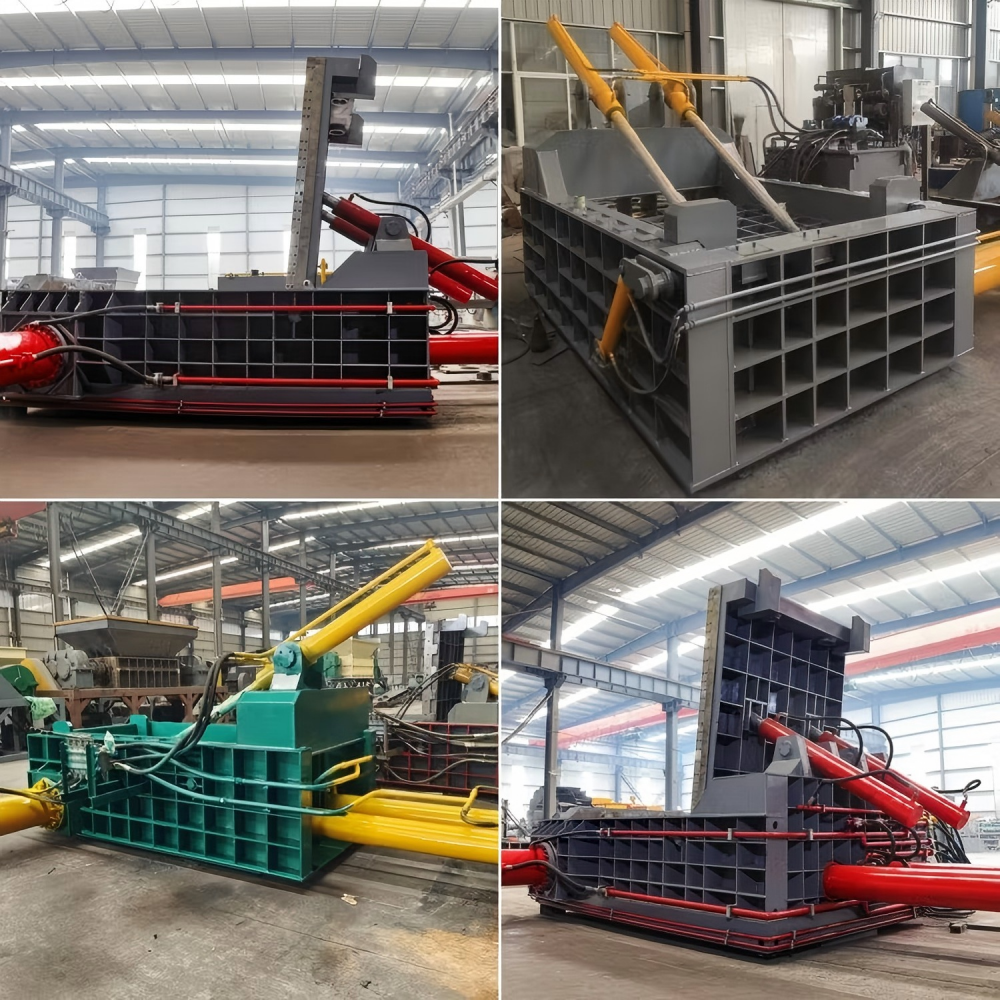
Before diving into complex electrical repairs, it is vital to consider the environmental factors that contribute to sensor failure. Scrap metal balers operate in harsh conditions characterized by vibration, dust, and metallic debris. These elements are the primary enemies of precision electronic components. Ensuring that your sensors are protected from these external stressors is the first step in troubleshooting.
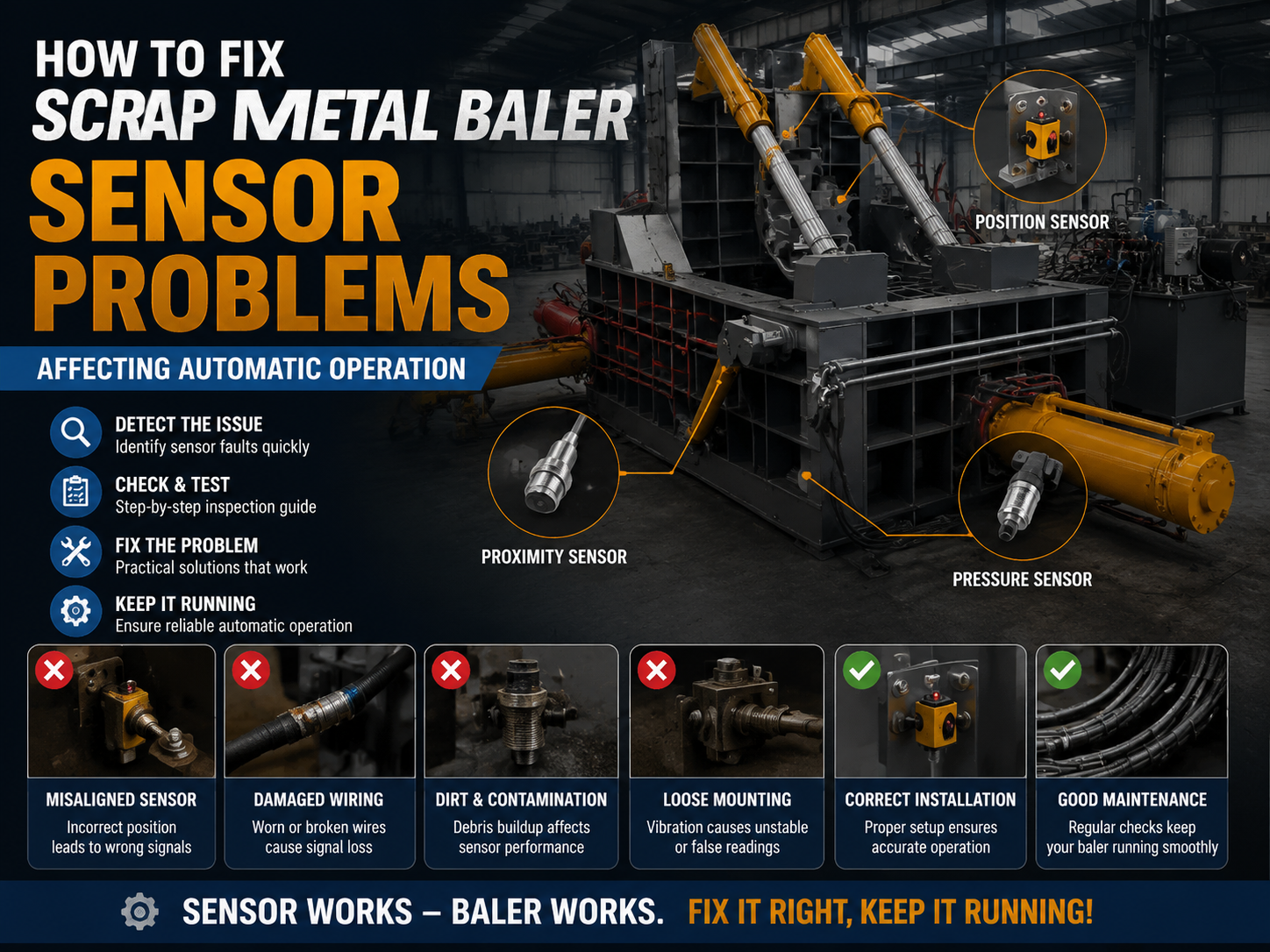
Vibration is a significant factor in industrial settings. Over time, the constant impact of metal being compressed can loosen mounting brackets, causing proximity sensors to drift out of their optimal detection range. A sensor that is even a few millimeters off-center may fail to detect the ram’s position, causing the PLC to halt the automatic cycle to prevent a collision or mechanical error. It is recommended to use thread-locking compounds on mounting bolts and to periodically check the torque on all sensor brackets.
Another key consideration is the accumulation of conductive dust. Metal shavings can bridge the gap between sensor terminals or coat the lens of an optical sensor, leading to false positives or signal loss. Implementing a routine cleaning schedule using compressed air and non-conductive cleaning agents is a simple yet effective way to prevent these issues before they escalate into full-scale operational failures. Furthermore, consider installing protective shrouds or air-purge systems if your baler is located in an area with high airborne particulate matter.
Finally, consider the quality of the power supply. Sensors are sensitive to voltage fluctuations. If your facility experiences power surges or brownouts, the sensitive circuitry within the proximity switches can be damaged. Installing surge protectors or voltage stabilizers dedicated to the control cabinet can significantly improve the longevity and reliability of your automated systems. Always ensure that the grounding system for your baler is robust, as stray currents can cause erratic sensor behavior that is notoriously difficult to diagnose.
Technical Details: Troubleshooting and Repair
When the automatic operation fails, the first step is to consult the PLC diagnostic screen. Most HARSLE balers feature an HMI (Human-Machine Interface) that displays error codes. These codes often point directly to a specific sensor input that is not being satisfied. If the screen indicates a ‘Ram Position Error,’ you know exactly which limit switch or proximity sensor to investigate. Do not ignore these codes; they are the most efficient roadmap to a quick repair.
To fix scrap metal baler sensor problems affecting automatic operation, you must first verify the physical state of the sensor. Check for physical damage such as crushed housings, frayed cables, or bent mounting brackets. If the sensor appears intact, use a multimeter to check for continuity and voltage output. A standard 24V DC proximity sensor should show a clear signal change when a metal object is placed within its sensing range. If the sensor is a PNP type, you should see the signal wire switch to 24V when triggered; for NPN, it should switch to ground.
If the sensor is receiving power but not sending a signal, the issue may be internal to the sensor or a break in the wiring harness. Wiring is often the culprit in high-vibration environments. Inspect the cable runs for signs of abrasion or pinching, especially near moving parts like the ram or the door hinges. Replacing a damaged section of shielded cable can often resolve intermittent signal issues that plague automated cycles. When replacing wiring, always use oil-resistant, flexible cable rated for industrial motion to prevent future fatigue.
In cases where the sensor is functioning correctly but the PLC is not receiving the signal, the problem may lie in the input module. Check the terminal blocks for loose connections or oxidation. Tightening these connections and applying a dielectric grease can prevent future signal degradation. Always ensure the machine is locked out and tagged out (LOTO) before performing any electrical work to ensure technician safety. If the input module itself is suspected of failure, use a jumper wire to simulate a signal at the terminal block; if the PLC registers the input, the fault is confirmed to be in the field wiring or the sensor.
Advanced Diagnostic Strategies
Beyond basic multimeter testing, advanced troubleshooting involves analyzing the PLC logic. Sometimes, a sensor is working, but the logic condition is not met because of a secondary sensor. For example, a baler may require both a ‘door closed’ sensor and a ‘ram retracted’ sensor to be active before the cycle can start. If the HMI shows the door is closed but the cycle won’t initiate, check the ‘ram retracted’ sensor. This ‘interlock logic’ is a common source of confusion for operators.
Another advanced technique is the use of an oscilloscope to detect ‘noisy’ signals. In environments with high-frequency drives or large motors, electrical noise can induce false signals in sensor lines. If you suspect interference, ensure that sensor cables are routed separately from high-voltage power lines. Using shielded twisted-pair cables and ensuring the shield is grounded at only one end can eliminate this interference.
Selection Advice for Replacement Sensors
When the time comes to replace a faulty sensor, choosing the right component is just as important as the installation itself. Not all sensors are created equal, and using a generic, low-quality replacement can lead to recurring issues. For HARSLE equipment, always prioritize sensors with high IP ratings (IP67 or higher) to ensure resistance against dust and moisture. Look for sensors with stainless steel housings, which offer superior durability against the abrasive nature of scrap metal.
Consider the sensing distance and the material of the target. Inductive proximity sensors are the industry standard for scrap metal balers because they detect ferrous metals without physical contact. Ensure the replacement sensor has the same switching frequency and output type (PNP or NPN) as the original. Mismatched output types will prevent the PLC from recognizing the signal, rendering the automation system useless. Furthermore, verify the ‘normally open’ (NO) or ‘normally closed’ (NC) configuration; installing an NC sensor where an NO sensor is expected will cause the machine to think a condition is met when it is not, potentially leading to dangerous operation.
It is also advisable to keep a small inventory of critical spare parts on-site. This includes at least one of each type of limit switch and proximity sensor used on your specific baler model. Having these parts on hand allows you to perform a ‘swap test’—replacing a suspected faulty sensor with a known good one—which is the fastest way to confirm a diagnosis. When purchasing spares, document the part numbers and specifications in a digital maintenance log to streamline future procurement.
Finally, look for sensors with built-in LED indicators. These lights provide immediate visual feedback, allowing operators to see if the sensor is detecting the target without needing to consult the HMI or use a multimeter. This feature significantly reduces the time required for routine checks and troubleshooting during a production shift, allowing your team to identify a failed sensor in seconds rather than minutes.
FAQ: Common Sensor Issues
- Q: Why does my baler stop mid-cycle in automatic mode?
A: This is often caused by a sensor failing to detect the ram’s position. Check the proximity switches along the ram track for debris or misalignment. It could also be a pressure sensor indicating an overload, which triggers a safety stop. - Q: Can I bypass a sensor to keep the machine running?
A: Never bypass safety sensors. Doing so is extremely dangerous and violates industrial safety standards. Always repair or replace the faulty component. Bypassing sensors can lead to catastrophic equipment damage or severe operator injury. - Q: How often should I clean the sensors?
A: Depending on the volume of scrap, a weekly inspection and cleaning of all sensor faces is recommended to ensure consistent performance. In high-dust environments, daily cleaning may be necessary. - Q: What if the sensor light is on but the machine doesn’t move?
A: The signal may be reaching the sensor but not the PLC. Check the wiring between the sensor and the control cabinet for breaks or loose terminals. Also, verify that the PLC input card is receiving the signal by checking the status LEDs on the card itself. - Q: Are HARSLE sensors proprietary?
A: HARSLE uses high-quality industrial standard sensors. While you can source replacements from us, many standard industrial sensors with matching specifications will work. Always ensure the replacement meets or exceeds the original’s IP rating and electrical specs. - Q: How do I know if a sensor is failing due to heat?
A: If a sensor works when the machine is cold but fails after an hour of operation, it may be suffering from thermal drift or internal component failure due to heat. Ensure the sensor is not mounted too close to hydraulic lines or heat-generating components.
Conclusion
Maintaining the automated operation of your scrap metal baler is a balance of proactive maintenance and precise troubleshooting. By understanding how to fix scrap metal baler sensor problems affecting automatic operation, you empower your team to handle minor issues before they result in significant downtime. Remember that the longevity of your HARSLE equipment depends on the integrity of its electronic components as much as its hydraulic power.
Regular inspections, proper cleaning, and the use of high-quality replacement parts are the pillars of a reliable baling operation. When in doubt, always refer to your machine’s technical manual and prioritize safety above all else. By documenting your maintenance history and training your staff on basic sensor diagnostics, you create a culture of reliability that keeps your facility running at peak efficiency. With the right approach, your scrap metal baler will continue to provide efficient, automated service for years to come, maximizing your facility’s productivity and profitability.