Single-Shaft Shredder Emergency Stop Problems: Troubleshooting Checklist


Introduction
In the demanding environment of modern metal fabrication and waste recycling, the single-shaft shredder stands as a cornerstone of operational efficiency. However, when a machine suddenly halts due to an emergency stop (E-stop) trigger, it can lead to significant downtime and production bottlenecks. Understanding the root causes of Single-Shaft Shredder Emergency Stop Problems: Troubleshooting Checklist is essential for maintenance teams and plant managers who rely on HARSLE equipment to maintain high throughput.
An emergency stop is a critical safety feature designed to protect both the operator and the machine’s internal components from catastrophic failure. When the system enters a locked-out state, it is often a sign that the PLC (Programmable Logic Controller) has detected an anomaly that threatens the integrity of the shredding process. Whether it is a false positive from a sensor or a genuine mechanical overload, knowing how to diagnose the issue systematically is the difference between a five-minute reset and a multi-day repair.
This guide serves as a comprehensive resource for identifying, isolating, and resolving emergency stop issues. By following this structured approach, you can minimize downtime, extend the lifespan of your shredder, and ensure that your facility adheres to the highest safety standards. We will explore the electrical, mechanical, and software-driven triggers that often lead to these unexpected shutdowns.
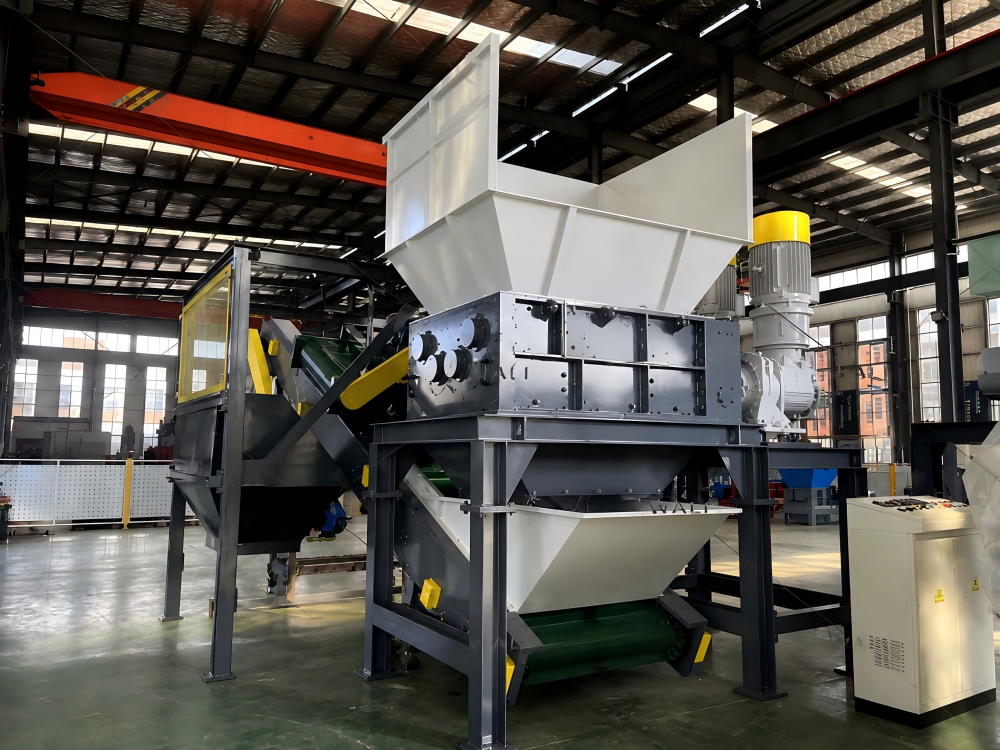
Key Considerations for Shredder Safety Systems
Before diving into the technical troubleshooting, it is vital to understand the architecture of the safety circuit. Most industrial shredders utilize a dual-channel safety relay system. This means that if any part of the circuit—from the physical E-stop button to the limit switches—is interrupted, the power to the motor contactors is cut immediately. This “fail-safe” design ensures that even a loose wire can trigger a shutdown, which, while frustrating, is a necessary precaution.
Environmental factors play a massive role in the reliability of these systems. Metal fabrication facilities are often filled with conductive dust, vibrations, and fluctuating temperatures. Over time, these conditions can cause micro-corrosion on electrical contacts or lead to the degradation of sensor wiring. Regular inspection of the control cabinet’s internal environment is a key preventative measure that many operators overlook until a failure occurs.
Another key consideration is the integration of the shredder with peripheral equipment. Often, the emergency stop is not triggered by the shredder itself, but by a downstream conveyor or an upstream feeding system. If your shredder is part of an automated line, the safety loop is likely daisy-chained across multiple machines. Identifying whether the fault is localized to the shredder or triggered by a peripheral device is the first step in effective troubleshooting.
Finally, operator training is paramount. Many emergency stop triggers are the result of improper material feeding or attempts to clear jams while the machine is under load. Ensuring that staff understand the limitations of the shredder’s torque capacity and the correct procedures for clearing blockages will significantly reduce the frequency of emergency stop events caused by human error.
Technical Details: Troubleshooting the Emergency Stop
When the machine stops, the first step is to check the HMI (Human-Machine Interface) or the PLC diagnostic lights. Most modern HARSLE shredders provide specific error codes that point toward the source of the interruption. If the HMI displays a “Safety Circuit Open” error, you must verify the continuity of the entire safety loop. Use a multimeter to check for voltage across the E-stop buttons, gate interlocks, and emergency pull-cords.
Mechanical overloads are the most frequent cause of emergency stops in single-shaft shredders. If the rotor encounters a piece of material that is too hard or too large, the motor current will spike. The VFD (Variable Frequency Drive) or the thermal overload relay will detect this spike and trigger a safety shutdown to prevent motor burnout. Check the shredder chamber for “unshreddables”—items like hardened alloy steel, thick plate, or foreign objects that exceed the machine’s design specifications.
Sensor misalignment is another common culprit. Proximity sensors that monitor the position of the hydraulic pusher or the shredder door must be perfectly aligned. If a sensor is loose or covered in debris, the PLC may lose the signal, assuming the door is open or the pusher is in an unsafe position. Clean all sensors with an approved contact cleaner and ensure that the mounting brackets are tightened to the manufacturer’s torque specifications.
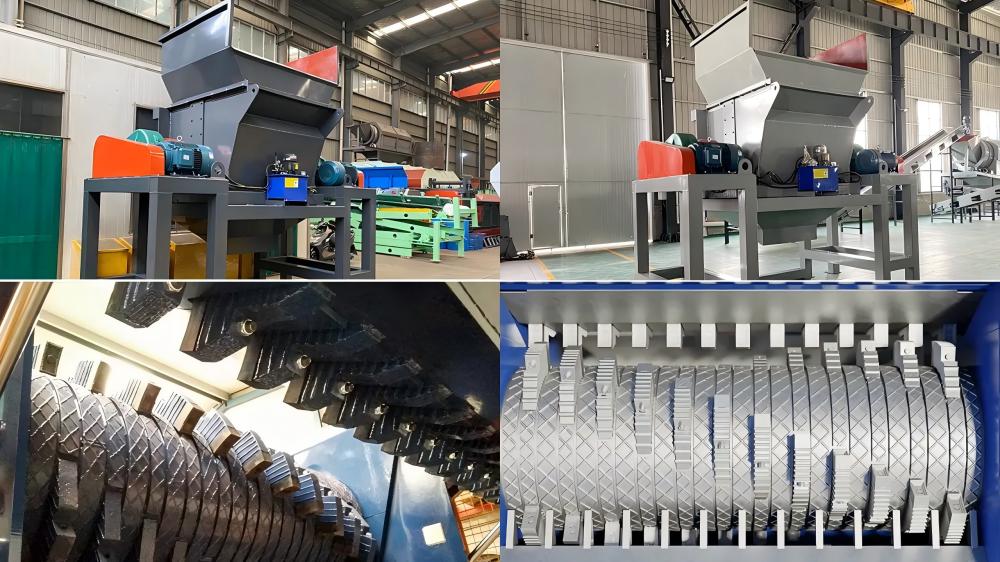
Electrical interference, or “noise,” can also cause phantom emergency stops. If high-voltage cables are run in the same conduit as low-voltage safety signals, electromagnetic interference (EMI) can corrupt the signal, causing the safety relay to drop out. Ensure that all signal cables are shielded and properly grounded. If you have recently added new equipment to the facility, check if the shredder’s grounding path has been compromised.
The hydraulic system, if applicable, also contains pressure switches that can trigger an E-stop. If the hydraulic oil temperature is too high or the pressure is insufficient, the system may lock out to protect the pump and cylinders. Monitor the hydraulic fluid levels and check the cooling fan operation. A clogged heat exchanger can lead to thermal shutdowns that mimic electrical E-stop triggers.
Selection Advice: Preventing Future Failures
Choosing the right shredder for your specific application is the most effective way to prevent emergency stop problems. If your facility processes high-tensile metals, you must select a machine with a reinforced rotor and a high-torque gearbox. Attempting to process heavy-duty scrap on a light-duty shredder will inevitably lead to frequent overloads and subsequent emergency stops.
When evaluating equipment, look for systems that offer advanced diagnostic capabilities. HARSLE shredders are designed with modular control systems that allow for easier troubleshooting. Features like remote monitoring and detailed alarm logging allow maintenance teams to identify patterns in downtime. If a machine stops at the same time every day, you can correlate that with specific shifts or material types, allowing for targeted process improvements.
Consider the environment where the shredder will be installed. If you are operating in a high-dust or high-moisture environment, ensure that the control cabinets are rated for NEMA 4 or IP65 protection. Investing in high-quality, sealed electrical components from the start will save thousands of dollars in troubleshooting and repair costs over the life of the machine.
Finally, establish a preventative maintenance schedule that includes the safety system. Do not wait for an emergency stop to test your safety buttons. Monthly inspections should include testing the E-stop buttons, checking the condition of safety interlocks, and verifying that all electrical connections are tight. A proactive approach transforms the emergency stop from a source of panic into a well-understood safety feature.
FAQ: Common Questions About Shredder E-Stops
Why does my shredder stop immediately after I press the start button?
This usually indicates that the safety circuit is already open before the machine attempts to start. Check that all E-stop buttons are pulled out, all access doors are fully closed, and the emergency pull-cord is not engaged. If all physical checks pass, there may be a faulty safety relay or a broken wire in the safety loop.
Can I bypass the emergency stop to keep production running?
Absolutely not. Bypassing safety circuits is a severe violation of industrial safety standards and puts operators at extreme risk. If you are experiencing frequent nuisance trips, you must identify the root cause—such as a loose sensor or electrical noise—and fix it properly rather than disabling the safety system.
How do I know if the shredder is overloaded?
Most HARSLE shredders feature an ammeter on the control panel. If the current consistently runs near the maximum rated amperage, the machine is overloaded. You should adjust the pusher feed rate or reduce the size of the material being fed into the chamber to prevent the thermal overload from triggering an emergency stop.
What should I do if the PLC shows a “Communication Error” along with an E-stop?
A communication error suggests that the PLC is losing contact with the VFD or the I/O modules. Check the communication cables (usually Profibus, Ethernet, or CAN bus) for damage or loose connections. Ensure that the control cabinet is free from excessive vibration, which can cause connectors to loosen over time.
Conclusion
Managing Single-Shaft Shredder Emergency Stop Problems: Troubleshooting Checklist requires a combination of technical knowledge, systematic observation, and a commitment to safety. By understanding the interplay between the electrical safety loop, mechanical load limits, and sensor feedback, you can effectively diagnose and resolve the issues that lead to unplanned downtime. Remember that the emergency stop system is there to protect your most valuable assets—your people and your machinery.
At HARSLE, we prioritize the reliability and safety of our metal fabrication equipment. By following the maintenance and troubleshooting steps outlined in this guide, you ensure that your shredder remains a productive, efficient, and safe component of your manufacturing process. When in doubt, always refer to your specific machine manual and consult with qualified electrical technicians to perform repairs on the safety circuit. Consistent care and informed operation will keep your shredder running smoothly for years to come.