Industrial Shredder Not Starting? Common Causes and Fast Fixes

Introduction to Industrial Shredder Troubleshooting
In the world of metal fabrication and waste management, the industrial shredder is a workhorse. Whether you are processing scrap metal, plastics, or electronic waste, a sudden halt in operations can lead to significant financial losses and production bottlenecks. When an industrial shredder refuses to start, the pressure is on to identify the root cause and implement a solution immediately. Understanding the common causes and fast fixes for an industrial shredder not starting is essential for any facility manager or machine operator.
HARSLE, a leader in metal fabrication machinery, recognizes that even the most robust equipment requires proper maintenance and occasional troubleshooting. An industrial shredder is a complex assembly of electrical components, hydraulic systems, and heavy-duty mechanical parts. When one of these systems fails or sends a fault signal, the entire machine may enter a lockout state to prevent damage or injury. This guide is designed to walk you through the diagnostic process, helping you differentiate between a simple fix and a more complex technical issue.
Before diving into the technicalities, it is important to emphasize safety. Industrial shredders possess immense torque and sharp components. Always follow Lockout/Tagout (LOTO) procedures before inspecting the internal chambers or electrical cabinets. By systematically checking the most likely culprits—ranging from power supply issues to safety interlock triggers—you can minimize downtime and return your HARSLE equipment to peak productivity.
Key Considerations: Why Your Industrial Shredder Won’t Start
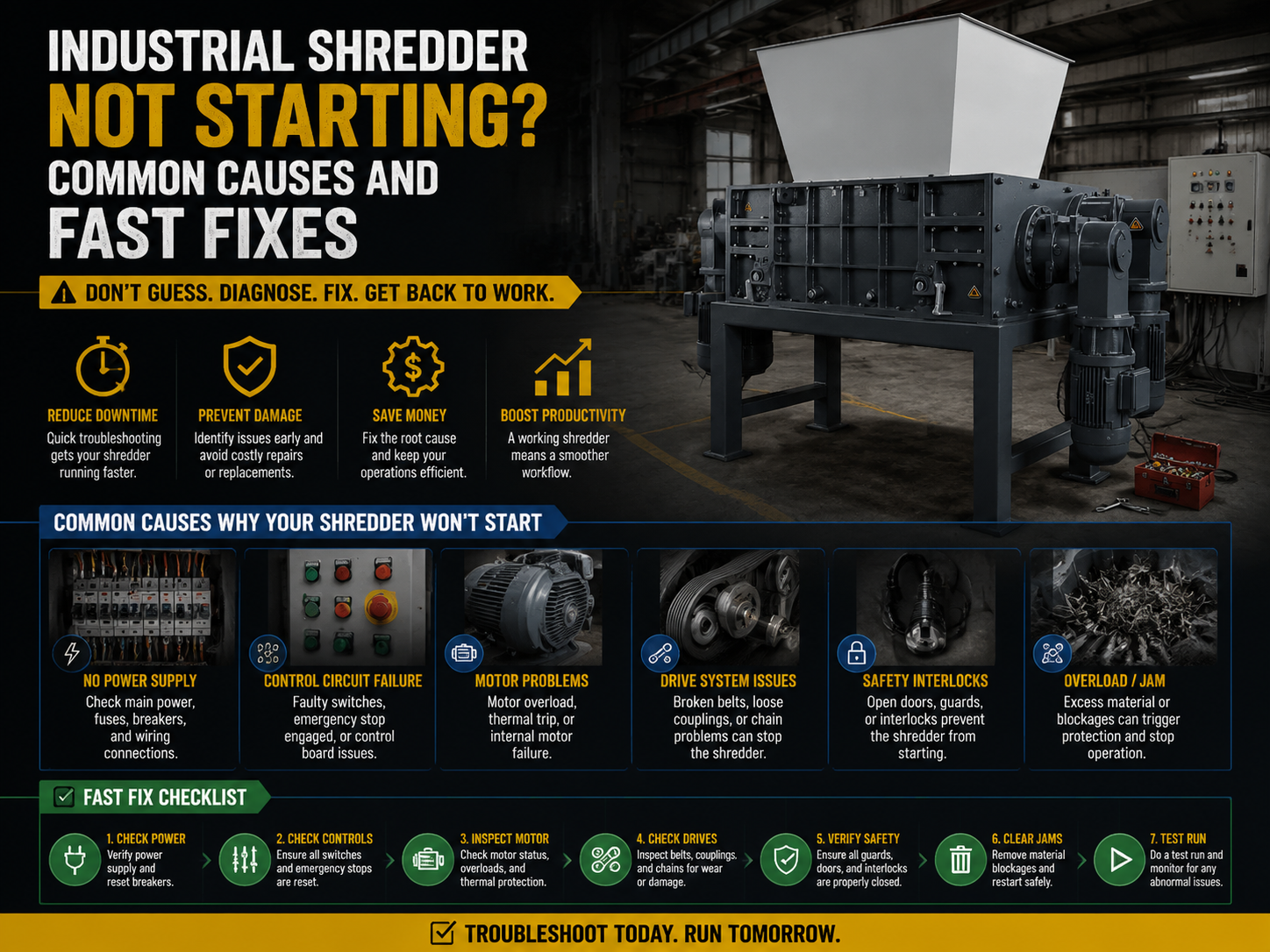
When faced with an industrial shredder not starting, the first step is to categorize the potential problem. Most issues fall into three categories: electrical, mechanical, or safety-related. Identifying which system is failing requires a methodical approach. Often, the machine’s control panel or Human-Machine Interface (HMI) will provide an error code, but in older models or specific failure modes, you may need to perform manual checks.
1. Electrical Power Supply Issues
The most common reason for a machine not starting is a lack of proper power. Industrial shredders require high voltage and stable current to overcome the initial inertia of the heavy cutting shafts. Check if the main circuit breaker has tripped. This often happens if the shredder was shut down under a heavy load or if there was a power surge in the facility. Additionally, verify that all three phases of the power supply are active; a ‘single-phasing’ condition can prevent the motor from starting and potentially cause it to burn out if the protective relays fail.
2. Safety Interlocks and Emergency Stops
Industrial shredders are equipped with numerous safety features designed to protect operators. If an Emergency Stop (E-Stop) button is depressed—even slightly—the control circuit will remain open, preventing the motor contactor from engaging. Similarly, modern shredders like those from HARSLE feature limit switches on access doors, hoppers, and maintenance panels. If a panel is not fully closed or a sensor is misaligned, the PLC (Programmable Logic Controller) will block the start command as a safety precaution.
3. Control System and PLC Faults
The ‘brain’ of the shredder is the PLC. It monitors inputs from sensors and manages the output to the motor starters. If the PLC detects an internal error, a communication fault with the HMI, or an inconsistent signal from a torque sensor, it will prevent the machine from starting. Check the PLC status lights; a red ‘Fault’ light usually indicates a software or hardware error that may require a system reset or professional diagnostic tools.
4. Motor Overload and Thermal Protection
If the shredder was recently running and suddenly stopped, or if it won’t restart after a period of heavy use, the thermal overload relays may have tripped. These devices protect the motor from overheating. When the motor draws too much current—often due to processing material that is too tough or a jam—the heat builds up, and the relay cuts the power. You must allow the motor to cool down before the relay can be manually or automatically reset.
Technical Details: Deep Dive into Shredder Components
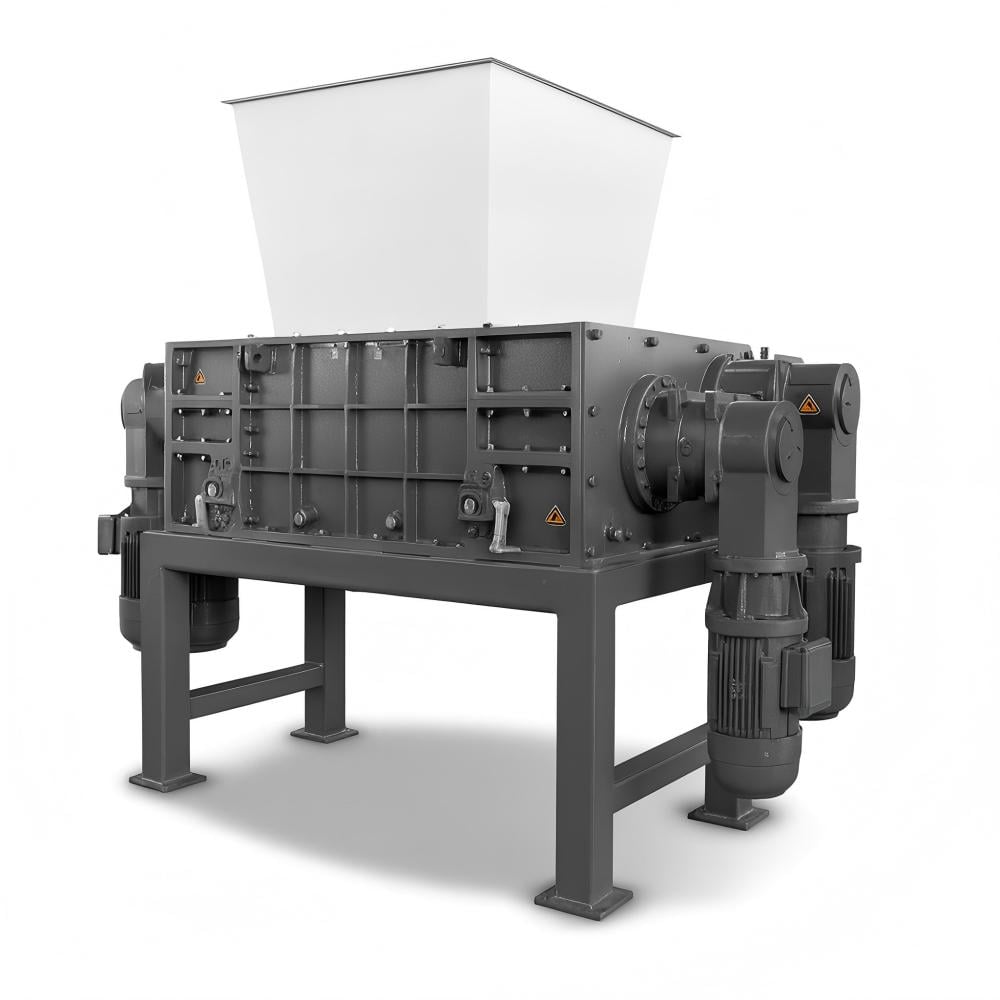
To effectively troubleshoot an industrial shredder, one must understand the technical interaction between its components. The startup sequence involves a high-torque demand that tests every part of the drive train. If any component is slightly out of spec, the system may fail to initiate the rotation of the blades.
The Role of the Variable Frequency Drive (VFD)
Many modern industrial shredders utilize a VFD to control the motor’s speed and torque. The VFD allows for a ‘soft start,’ which reduces the mechanical stress on the gears and the electrical stress on the power grid. If the VFD detects an over-voltage, under-voltage, or over-current condition, it will display a specific fault code. For example, an ‘OC’ code typically means Over-Current, suggesting a mechanical blockage or a short circuit in the motor windings. Checking the VFD’s history log is one of the fastest ways to diagnose why a shredder is not starting.
Hydraulic System Pressure and Fluid Levels
For shredders that use hydraulic drives instead of direct electric motors, the start sequence depends on the hydraulic power unit (HPU). If the fluid level is too low, a float switch will prevent the pump from engaging to avoid cavitation and pump damage. Furthermore, if the hydraulic oil is too cold, its viscosity may be too high for the system to reach the required operating pressure, leading to a startup failure. Many HARSLE shredders include oil heaters to mitigate this issue in colder climates.
| Component | Common Issue | Fast Fix |
|---|---|---|
| E-Stop Button | Depressed or faulty contact | Twist to release; check wiring continuity |
| Circuit Breaker | Tripped due to overload | Reset breaker; check for phase imbalance |
| Limit Switch | Misaligned or dirty sensor | Clean and realign switch on access doors |
| Motor Starter | Burnt contacts or coil failure | Inspect contactor; replace if pitted or charred |
| PLC / HMI | Software glitch or ‘Watchdog’ timer | Cycle control power; check error logs |
Mechanical Jams and Material Bridging
Sometimes the electrical system is fine, but the mechanical resistance is too high for the motor to overcome. This is common if the shredder was stopped while the chamber was full of material. The material can ‘bridge’ or wedge between the blades, creating a static load that exceeds the starting torque. In this case, the ‘Fast Fix’ is often to use the manual reverse function to back the material out of the blades before attempting a forward start.
Selection Advice: Choosing a Reliable Shredder to Minimize Downtime
When purchasing an industrial shredder, the goal is to select a machine that not only performs well but is also easy to maintain and troubleshoot. Not all shredders are created equal; some are prone to frequent ‘no-start’ conditions due to poor component selection or inadequate protection systems. Here is what to look for when evaluating equipment from manufacturers like HARSLE.
1. Quality of Electrical Components
Ensure the shredder uses globally recognized electrical components (such as Schneider, Siemens, or ABB). These parts are more reliable and easier to source if a replacement is needed. A shredder with a well-organized electrical cabinet, clearly labeled wires, and a comprehensive wiring diagram will save hours of troubleshooting time when the machine won’t start.
2. Robustness of the Drive Train
The gearbox and motor coupling are critical. Look for shredders with high service factors on their gearboxes. A higher service factor means the machine can handle the shock loads of tough materials without tripping the motor’s thermal protection or damaging the internal gears. HARSLE shredders are engineered with these safety margins in mind to ensure consistent startup even under challenging conditions.
3. Advanced Diagnostic Interfaces
Modern industrial shredders should feature an HMI that provides clear, plain-language feedback. Instead of just a ‘General Fault’ light, the screen should specify ‘Door 2 Open’ or ‘Motor 1 Overload.’ This level of detail allows operators to fix the issue themselves without needing to call in a specialized technician, significantly reducing downtime.
4. Ease of Maintenance Access
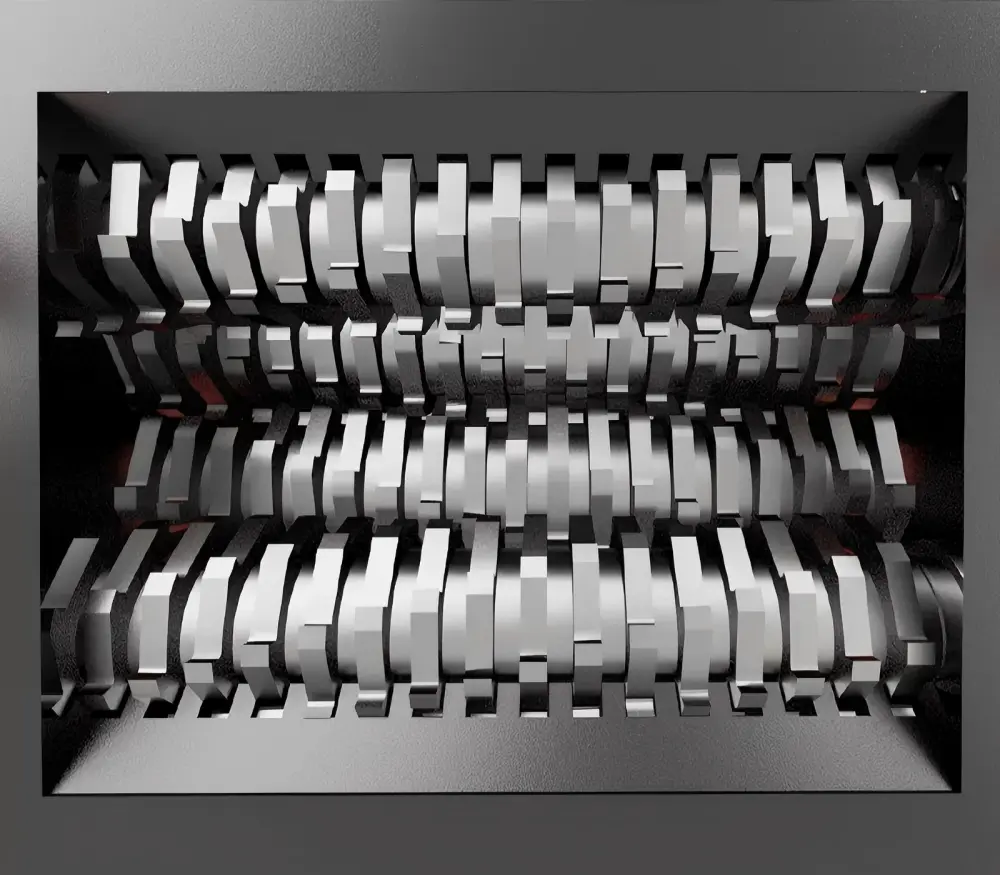
A shredder that is difficult to clean is a shredder that will eventually fail to start. Look for designs that allow easy access to the cutting chamber and the area beneath the blades. If material builds up in the seals or around the bearings, it creates friction that the motor must fight against every time it starts. Quick-access panels and automated lubrication systems are highly recommended features.
FAQ: Troubleshooting Your Industrial Shredder
Q: My shredder hums but won’t turn. What is wrong?
A: This usually indicates a ‘locked rotor’ condition. The motor is receiving power but cannot turn the shafts. This is likely caused by a mechanical jam in the cutting chamber or a failure in one of the power phases (single-phasing). Immediately turn off the power to prevent motor burnout and check for obstructions.
Q: Why does my shredder start and then immediately stop?
A: This is often related to the ‘start-up current’ exceeding the limit of the breaker or the VFD settings. It could also be a safety sensor that is vibrating out of position once the machine starts moving. Check the stability of all limit switches and ensure your power supply can handle the inrush current.
Q: Can a low hydraulic oil level really prevent the machine from starting?
A: Yes. Most industrial shredders have a low-level cutoff switch in the hydraulic reservoir. This is a critical protection feature to prevent the pump from running dry, which would cause catastrophic failure within minutes. Always maintain oil levels within the recommended range on the sight glass.
Q: How often should I check the electrical connections?
A: In a high-vibration environment like metal shredding, electrical connections can loosen over time. We recommend a quarterly inspection of the control cabinet to tighten terminal blocks and check for signs of heat discoloration on wires, which indicates a loose or corroded connection.
Q: What should I do if the PLC shows a ‘Communication Error’?
A: First, check the cables connecting the HMI to the PLC. If they are secure, try cycling the control power (turning the main disconnect off and on). If the error persists, there may be electromagnetic interference (EMI) affecting the signal, or the PLC hardware may need service.
Conclusion: Maintaining Peak Performance
An industrial shredder not starting is a challenge that requires a calm, systematic approach. By understanding the common causes—from simple E-stop resets to more complex VFD fault diagnostics—operators can significantly reduce the duration of unplanned downtime. Most ‘no-start’ issues are actually the machine’s safety systems doing exactly what they were designed to do: protecting the equipment and the operator from a potentially dangerous condition.
Investing in high-quality machinery from reputable manufacturers like HARSLE is the first step in ensuring long-term reliability. However, even the best machine requires a dedicated maintenance schedule. Regularly cleaning sensors, checking fluid levels, and inspecting electrical components will prevent most startup issues before they occur. Remember, the goal is not just to fix the machine when it breaks, but to understand the technical nuances that keep it running smoothly day after day.
If you have followed the troubleshooting steps in this guide and your industrial shredder still refuses to start, it may be time to consult with a professional technician. Detailed logs of the error codes and the conditions under which the failure occurred will be invaluable in helping them pinpoint the problem quickly. With the right knowledge and a proactive approach to maintenance, your shredding operations will remain productive, efficient, and safe.